


Talk to customers
Team inbox
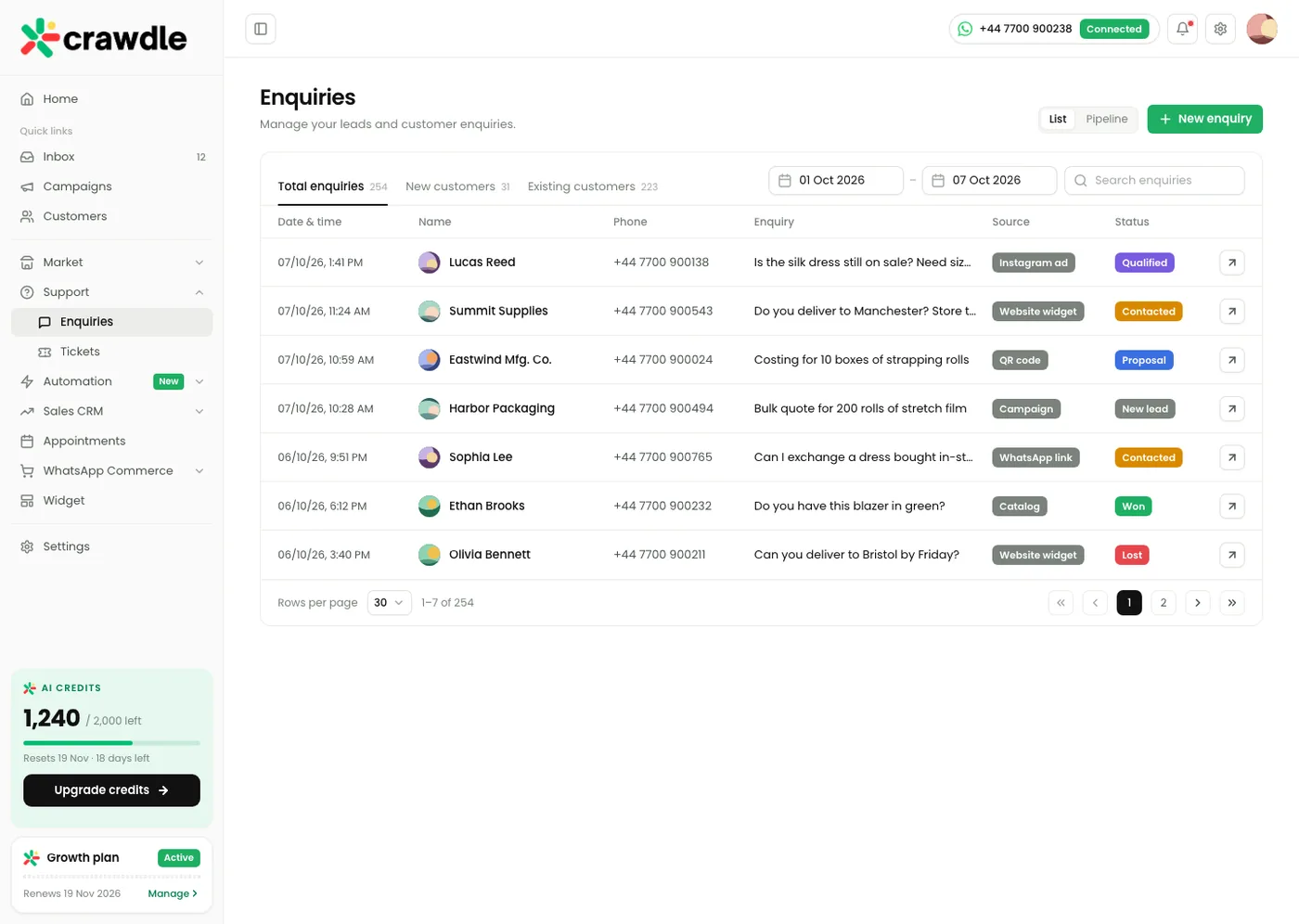
One shared WhatsApp inbox for your whole team, so every customer gets an answer and nobody replies twice.
- See every WhatsApp chat in one place, on desktop and mobile
- Assign chats to a teammate and see who is replying
- Add labels, notes and quick replies to move faster
- Get alerts when a chat has waited too long
- Hand over from the bot to a person with the full history
- Plans
- Every plan · Up to 2 team members on Growth, 6 on Scale, custom on Enterprise
- Good for
- Any business with more than one person answering customers.
How it works
Connect your WhatsApp Business number. We handle the Meta setup.
Invite your team and choose who handles which chats.
Reply, assign and close chats from one screen.
Talk to customers
Broadcasts
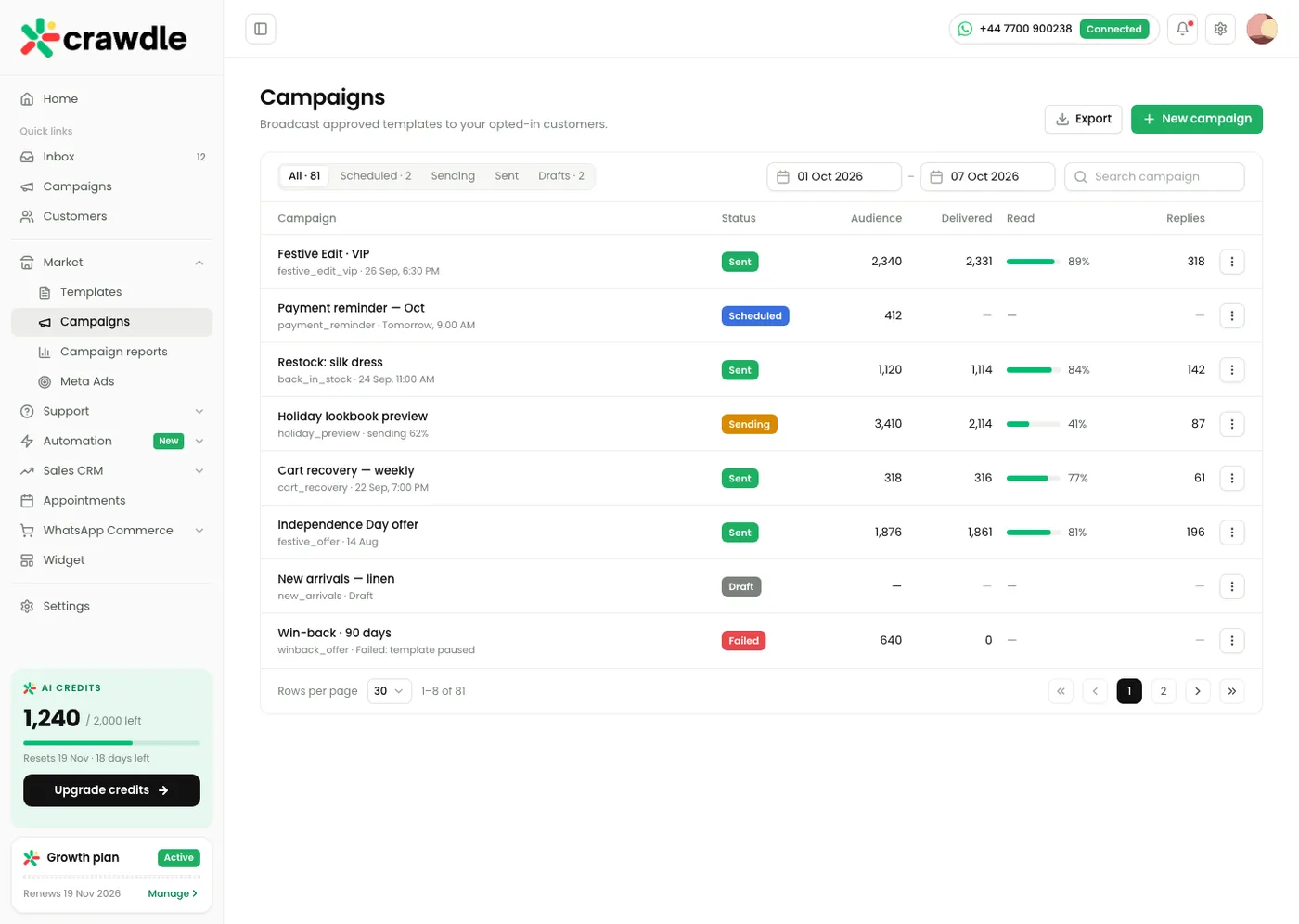
Send offers, updates and reminders to thousands of customers at once, with replies landing straight in your inbox.
- Send approved WhatsApp templates to a list or a segment
- Add names, order numbers and buttons to every message
- Schedule a send for the best time of day
- See delivered, read and replied numbers for each campaign
- Let customers opt out with one tap
- Plans
- Every plan · Unlimited contacts and broadcasts
- Good for
- Restock alerts, festival offers, fee and payment reminders, event invites.
How it works
Pick or write a template and get it approved by Meta.
Choose who receives it using labels, tags or a sheet upload.
Send now or schedule it, then follow the results live.
Talk to customers
Templates
Ready to use WhatsApp message templates for the things businesses send every day, submitted to Meta for you.
- Start from a library of templates for orders, bookings and payments
- Add your logo, images, documents and buttons
- Use variables such as the customer name or due date
- Track approval status for every template
- Reuse templates across broadcasts, bots and automations
- Plans
- Every plan
- Good for
- Order confirmations, appointment reminders, payment links and welcome messages.
Hi Alex, your order #1043 is confirmed. It will reach you by Friday.
Reply STOP to opt out
{{1}} name{{2}} order{{3}} dateHow it works
Choose a template from the library or write your own.
We submit it to Meta and show the approval status.
Use it anywhere in Crawdle once it is approved.
Talk to customers
Chatbot builder
Build WhatsApp bots that answer questions, collect details and take customers to the right next step, without writing code.
- Drag and drop flows with buttons, lists and questions
- Answer common questions instantly, day and night
- Collect names, phone numbers and requirements as leads
- Pass the chat to your team when a person is needed
- Use AI replies trained on your own business details (Growth and Scale)
- Plans
- 3 bot flows on Growth · Unlimited advanced flows on Scale and Enterprise
- Good for
- Enquiries out of hours, product menus, FAQs and lead capture.
How it works
Start from a template flow for your industry.
Edit the questions and answers in plain language.
Publish it and watch customers use it in real time.
Sell and book
Appointment booking
Customers book, reschedule and cancel appointments inside WhatsApp, and get reminders so fewer people miss their slot.
- Show open slots by service, staff member or branch
- Confirm bookings instantly with a WhatsApp message
- Send reminders before the appointment automatically
- Let customers reschedule or cancel with one tap
- See every booking for the day in one calendar
- Plans
- 250 appointments with a single seat on Growth · Unlimited appointments and multiple seats on Scale and Enterprise
- Good for
- Clinics, salons, coaching centres, real estate site visits and service businesses.
How it works
Add your services, timings and team.
Share your WhatsApp link or let the bot offer booking.
Customers pick a slot and Crawdle confirms and reminds them.
Sell and book
Sales pipeline
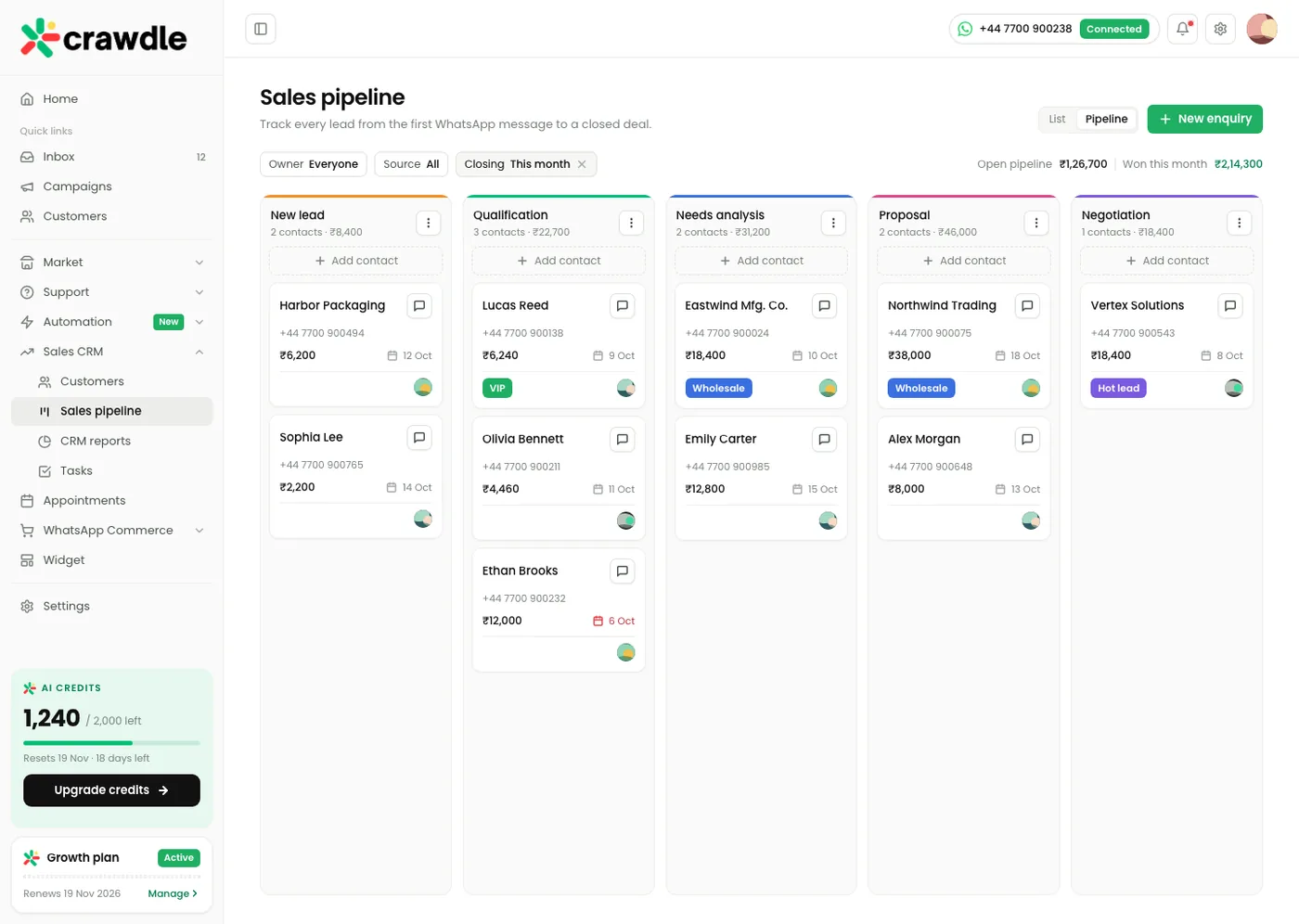
Every WhatsApp enquiry becomes a lead on a clear board, so you always know who to follow up with and what each deal is worth.
- Turn chats into leads automatically or with one click
- Move leads through stages you set, from new to won
- Add deal value, owner, notes and next follow up date
- Get reminded when a lead has gone quiet
- See how many leads each source and teammate brings in
- Plans
- Every plan
- Good for
- Real estate, education, B2B sales and any business with a follow up process.
How it works
Set up the stages that match how you sell.
Leads arrive from WhatsApp, ads and your website.
Your team moves each lead forward until it is won.
Sell and book
Contacts
A simple customer list built from your WhatsApp chats, with the details your team needs before replying.
- Save every customer who messages you automatically
- Add tags, notes and custom fields
- Import from a spreadsheet or your existing CRM
- Build segments for broadcasts and automations
- See the full chat and order history for each person
- Plans
- Unlimited contacts on every plan
- Good for
- Keeping customer details in one place instead of phones and sheets.
- Owner
- Sarah
- Orders
- 4 · $360
- Last order
- #1043 · 2 days ago
- Birthday
- 14 March
- Order #1043 paidCard · $94
- Asked about delivery to ManchesterAnswered by bot
- Joined from Instagram adSpring sale
How it works
Contacts are created as customers message you.
Import your existing list in a few clicks.
Tag and group them to target the right people.
Automate and connect
Automations
Let Crawdle handle the routine messages, so your team only steps in when it matters.
- Send welcome and away replies automatically
- Follow up with customers who did not reply
- Send order, payment and delivery updates as they happen
- Assign chats to the right teammate by topic or language
- Trigger messages from your store, sheet or CRM
- Plans
- Welcome and away messages on every plan · Advanced workflow configuration on Enterprise
- Good for
- Order updates, payment reminders, lead follow ups and routing chats.
- WhenNew order in Shopify
- ThenSend
order_confirmation - WaitUntil the order ships
- ThenSend tracking link
- If no reply in 3 daysAsk for a review
How it works
Choose a trigger, such as a new chat or a new order.
Choose what should happen next.
Turn it on and see every run in the activity log.
Automate and connect
Integrations
Connect WhatsApp to the tools you already use, so data moves on its own and nobody copies details by hand.
- Sync orders and customers from Shopify and WooCommerce
- Send leads and bookings to Google Sheets
- Share product pages and take orders in chat
- Track which Click to WhatsApp ads bring in sales
- Connect your own CRM or ERP with our team on Scale
- Plans
- Click to WhatsApp ads on Growth · Shopify, WooCommerce, Google Sheets and custom CRM or ERP on Scale and Enterprise
- Good for
- Online stores, businesses running ads, and teams using a CRM or ERP.
- SShopifyOrders, customers and abandoned carts
- GGoogle SheetsLeads and bookings, synced every minute
- SStripePayment links in chat
- MMeta AdsClick to WhatsApp ad results
- WWooCommerceOrders and customers
- ZZoho CRMLeads and deals
How it works
Pick the tool you want to connect.
Sign in and choose what should sync.
Data starts flowing both ways in minutes.
Automate and connect
API access
Use the Crawdle API to send messages, manage contacts and read conversations from your own software.
- Send template and session messages from your systems
- Create and update contacts and tags
- Read conversations and message status
- Secure keys with roles and permissions
- Clear documentation and help from our team
- Plans
- Scale and Enterprise
- Good for
- Product teams, developers and businesses with their own software.
await fetch("https://api.crawdle.com/v1/messages", {
  method: "POST",
  headers: { Authorization: "Bearer cr_live_••••" },
  body: JSON.stringify({
    to: "+447700900123",
    template: "order_confirmation",
    variables: ["Alex", "#1043", "Friday"]
  })
})
{
  "id": "msg_8f2c41",
  "status": "accepted"
}
How it works
Create an API key in your Crawdle settings.
Call the API from your app, website or backend.
Monitor usage and errors from your dashboard.
Automate and connect
Webhooks
Get notified in your own systems the moment something happens on WhatsApp.
- Receive new messages and replies in real time
- Get delivery and read status for every message
- Hear about new leads, bookings and orders instantly
- Retry automatically if your server is busy
- Choose exactly which events you want to receive
- Plans
- Scale and Enterprise
- Good for
- Keeping your CRM, ERP or internal tools in sync with WhatsApp.
message.received10:42:08200message.read10:42:11200lead.created10:43:30200booking.confirmed10:44:02503booking.confirmed10:44:32200
{
  "event": "lead.created",
  "contact": "+447700900123",
  "source": "instagram_ad",
  "value": 2340
}
How it works
Add your endpoint URL in Crawdle settings.
Choose the events you want to listen to.
Your system receives each event as it happens.
Measure
Analytics
Clear numbers on how fast your team replies, how campaigns perform and how much WhatsApp brings in.
- See response time and resolution time for your team
- Track delivered, read and replied rates for campaigns
- See leads, bookings and sales coming from WhatsApp
- Compare teammates and sources side by side
- Export reports to share with your team
- Plans
- Campaign reports on Growth · Advanced CRM reports and data export on Scale · Advanced reporting and governance on Enterprise
- Good for
- Owners and managers who want to see what WhatsApp is really doing for the business.
How it works
Numbers are collected as your team works.
Pick a date range and filter by team or campaign.
Share or export the report in one click.
Need something that is not on this list?
We build custom WhatsApp flows around how your business works. Tell us what you need.